
A question I hear from founders again and again goes something like this: “So a LinkedIn tool is just a robot that messages strangers while I sleep?”
For plenty of cheap tools, yes, that’s exactly what it is. A LinkedIn automation tool for smart outreach is built to be the opposite.
If your week is already stuffed with client calls, hiring, and delivery, you can’t also lose two hours a day hunting for prospects. Yet you can’t ignore LinkedIn either, because your buyers are already there. This guide covers what these tools really do, where they help, where they backfire, and how to judge one before you spend a rupee.
What Is a LinkedIn Automation Tool?
Put simply, LinkedIn automation means letting software take over the routine chores of prospecting on the platform: building lists, sending invites, scheduling follow-ups, and logging who answered. What it should never take over is the thinking. You pick the audience, you shape the message, and you step in the moment a real person writes back.
Picture a colleague who never forgets a follow-up date, but whom you’d never send into the meeting itself. That is the role software should play.
Smart LinkedIn Outreach vs Spam: The 4-Part Test
Volume is not what makes smart LinkedIn outreach smart. Four habits do:
- A tight audience. Choose people by job title, industry, and company type, not by whoever happens to be online.
- A message written for them. Build one sequence per buyer type, in wording that fits their world.
- A calm pace. Requests leave at a steady, human rhythm instead of in sudden bursts.
- A clean handover. The second a prospect replies, automation stops, and the conversation becomes yours.
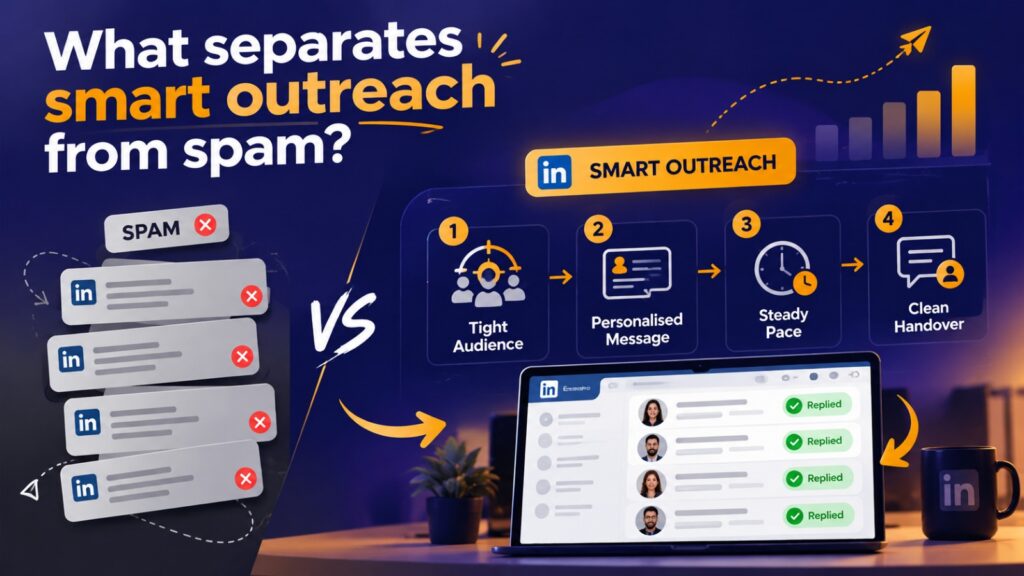
Drop any one of these, and you are left with bulk messaging wearing a nicer dashboard.
What Does LinkedIn Outreach Software Do?
Strip away the marketing language, and good LinkedIn outreach software handles a short list of jobs:
- Mapping prospects: pulling in your network and grouping people by role, sector, and company.
- Filling gaps: adding email addresses and phone numbers to records you already hold.
- Running sequences: an invite first, follow-ups next, a booking link after that, all on a timer.
- Moving the pipeline: shifting a contact to the next stage once they accept or answer.
- Listening for keywords: surfacing posts where someone mentions the problem you solve.
- Adding email: reaching people who rarely open LinkedIn, with every touchpoint kept in one thread.
- Letting you leave: exporting contacts to your CRM or a spreadsheet whenever you like.
These are the capabilities we built into our own platform, which is why I can speak about them first-hand.
Is LinkedIn Automation Safe? What Gets Accounts Restricted
This is the part many guides gloss over, so let me be direct.
LinkedIn does not formally approve third-party automation, and careless use can lead to account limits. In most cases, though, the trigger is not automation as such. It is behaviour that looks mechanical: invites fired off in bulk, identical wording everywhere, and piles of requests that nobody accepts. LinkedIn keeps its exact thresholds private. Practitioners often mention somewhere near 100 invitations a week, but treat that as folklore, not a promise.
Three questions help when you assess any vendor:
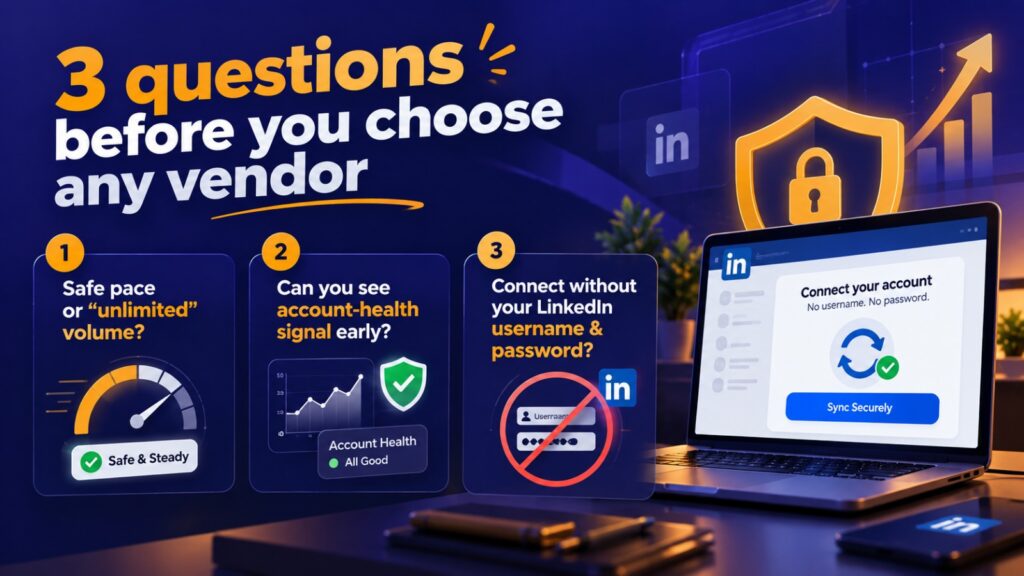
- Does it pace sending safely, or brag about “unlimited” volume?
- Can you see an account-health signal before things go wrong?
- Can you connect without handing over your LinkedIn username and password? Ours syncs without either.
Treat any promise of unlimited volume as a red flag.
How to Measure LinkedIn Outreach Results
Gut feeling is a poor judge. Track a simple chain instead: invites sent, invites accepted, replies received, meetings booked, deals won.
On cold B2B campaigns, an acceptance rate somewhere between 15% and 40% is generally considered healthy. Dip under roughly 20% and something upstream, either the list or the invite note, needs rework. The number I trust most is meetings booked per 100 invitations, because it links daily activity straight to pipeline.
Give it time, too. B2B deals move slowly, so judge the results over three to nine months of steady use, while reading acceptance and reply rates every week for early clues.
Who Should (and Shouldn’t) Use LinkedIn Automation
It suits founders and MDs who sell personally, manufacturers and exporters hunting for new buyers, service firms that lose deals to patchy follow-up, and SDR teams buried in manual prospecting.

It is not the right first move if you cannot yet describe your ideal customer in a sentence. Automation multiplies whatever strategy you feed it, good or muddled. Sort out your ICP first.
How to Run Your First Campaign in 2 Weeks
Skip the big launch. Choose one narrow audience, draft one short sequence, and run it on a small list for two weeks. Read every reply yourself, tweak the wording, and only then widen the list. That slow first fortnight will teach you more than any feature checklist.
Frequently Ask Questions
It is a program that takes over routine LinkedIn prospecting chores such as invites, follow-ups, and tracking, while you stay in charge of who you target and what you say.
It means using software to handle the repetitive tasks of LinkedIn prospecting so your own time goes to real conversations
It carries some risk when misused. Steady pacing, varied personal messages and an account-health check lower that risk considerably, while high-volume bulk sending raises it.
Smart outreach starts with a defined audience, writes for that audience, keeps a measured pace and hands over to a person once a reply arrives. Spam skips all four.
Look for safe sending controls, an account-health view, prospect mapping, pipeline stages, email follow-up and one-click export, ideally without asking for your login details.
LinkedIn does not state an official figure. Many users aim to stay below roughly 100 a week and watch their acceptance rate for warning signs.
Cold B2B campaigns usually land between 15% and 40%. Falling under about 20% suggests your list or invite note needs work.
Expect three to nine months for pipeline results, although acceptance and reply rates start moving within the first few weeks.
No. It removes repetitive admin, but qualifying leads, handling objections and building trust remain human work.
Final thoughts
The best LinkedIn automation tool for smart outreach will not replace your judgement. It protects your time and stops good prospects from slipping through unanswered. Pick a clear audience, keep the pace steady, track meetings per 100 invitations, and keep every real conversation human.
Curious how this looks in practice? See our LinkedIn automation platform and try the free demo. A first campaign takes roughly ten minutes to set up.