
By BrewAndBuzz Digital
Quick answer: The fastest way to find importers and wholesalers on LinkedIn is to layer three filters — Title, Industry, and Geography — then narrow further with company headcount and keyword filters, run parallel searches across adjacent job titles, and enrich the results with verified contact data before outreach. Done well, this produces 500+ targeted decision-makers per country without paying a broker, and it works as a repeatable system for LinkedIn lead generation for exporters.
Every exporter has heard some version of the same pitch: pay a broker a flat fee — or worse, a cut of every deal — and they’ll “connect you” with buyers overseas. Most of the time, what you get is a recycled contact list, half of it outdated, none of it verified against your actual product category.
You don’t need the broker. You need the filters.
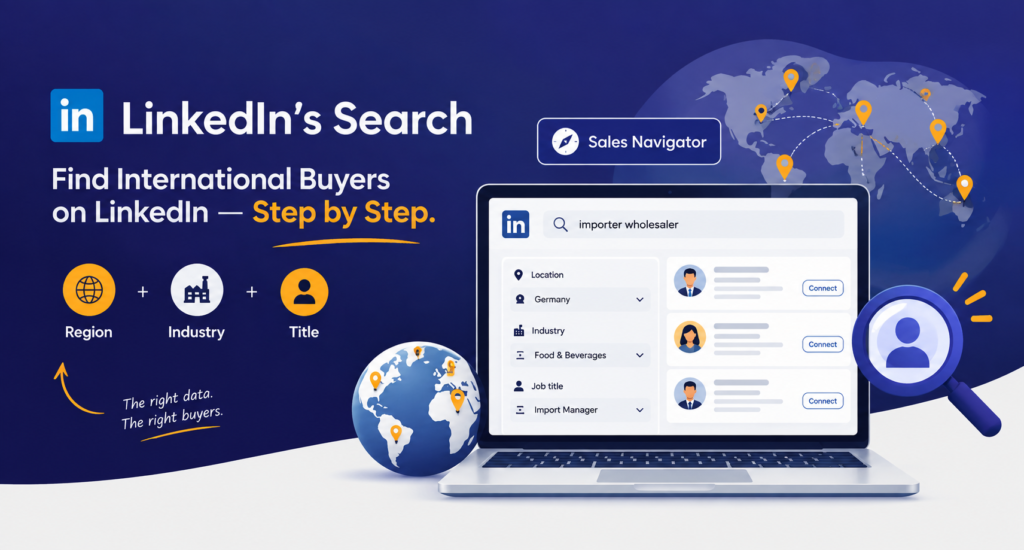
LinkedIn’s search — even on a standard Sales Navigator seat — already contains the region, industry, and title data you need to build a list of importer and wholesaler decision-makers who are actively buying what you sell. This post walks through exactly how to find international buyers on LinkedIn, step by step.
Why LinkedIn Search Beats a Broker’s List
A broker sells you a static list. LinkedIn search gives you a living, filterable database that updates as people change jobs, companies grow, and new importers register profiles. The difference matters because:
- You control the exact combination of country, industry, and seniority — a broker’s list is one-size-fits-all.
- You can verify each contact’s current role and company before reaching out — no wasted outreach to someone who left the job two years ago.
- You build a repeatable process your team can run every quarter, instead of paying for a one-time list that decays within months — the core discipline behind sustainable LinkedIn lead generation for exporters.
Define Your Ideal Buyer Before You Search
Before opening LinkedIn, write down three things:
- Target country or region — be specific. “Germany” is better than “Europe.”
- Industry or product category — the industry your buyer’s company operates in, not the industry you’re in. If you export industrial chemicals, your buyer sits inside “Chemicals,” “Import and Export,” or “Wholesale.”
- Buyer title — the actual decision-maker title for a purchase of your product’s size and category. For B2B raw materials and components, this is usually Procurement Director, Purchasing Manager, Sourcing Head, Supply Chain Manager, or International Trade Manager. For finished goods, add Category Manager or Import Manager to the list.
This step matters more than the search itself. A vague buyer definition produces a vague list, no matter how well you use the filters afterward.
Run the Core Filter Combination — Title + Industry + Location
In LinkedIn’s search bar (or LinkedIn Sales Navigator for exporters, using its Lead Filters for a much larger result set), layer three filters together:
- Title: “Procurement Director” OR “Purchasing Manager” OR “Sourcing Head” OR “International Trade Manager”
- Industry: Chemicals
- Geography: Germany
That single combination — Procurement Director + Chemicals + Germany — narrows LinkedIn’s member base of over one billion profiles down to a few hundred people who match your exact buyer profile. Change any one variable, and you get a completely different, equally targeted list: swap “Chemicals” for “Plastics” or “Germany” for “Netherlands” and re-run the same search in minutes.
For sharper results, nest the logic with parentheses instead of a flat OR string. A query like (“Procurement Director” OR “Head of Procurement” OR “Purchasing Manager” OR “International Trade Manager”) AND (“Chemicals” OR “Plastics”) NOT “Recruiter” pulls in adjacent titles and adjacent industries in one pass while excluding the recruiters and staffing agents who otherwise clutter Title-based searches.
Layer in Company-Level Filters to Cut Out Noise
Title and industry alone will still catch some irrelevant profiles — large conglomerates with procurement teams that don’t touch your product category, for instance. Tighten the list further with:
- Company headcount: Exclude company sizes that are too small to import at your minimum order quantity, or too large to be a realistic first account.
- Keywords in company description: Add terms like “importer,” “distributor,” or “wholesale” to the company search field to isolate businesses whose core function is bringing goods into the country, rather than manufacturers who might only occasionally source externally — this is the fastest way to find distributors on LinkedIn rather than generic manufacturers.
- Years in current role: Decision-makers who’ve held the title for six months or less are often still learning their supplier base — deprioritize them in favor of established buyers who can move faster.
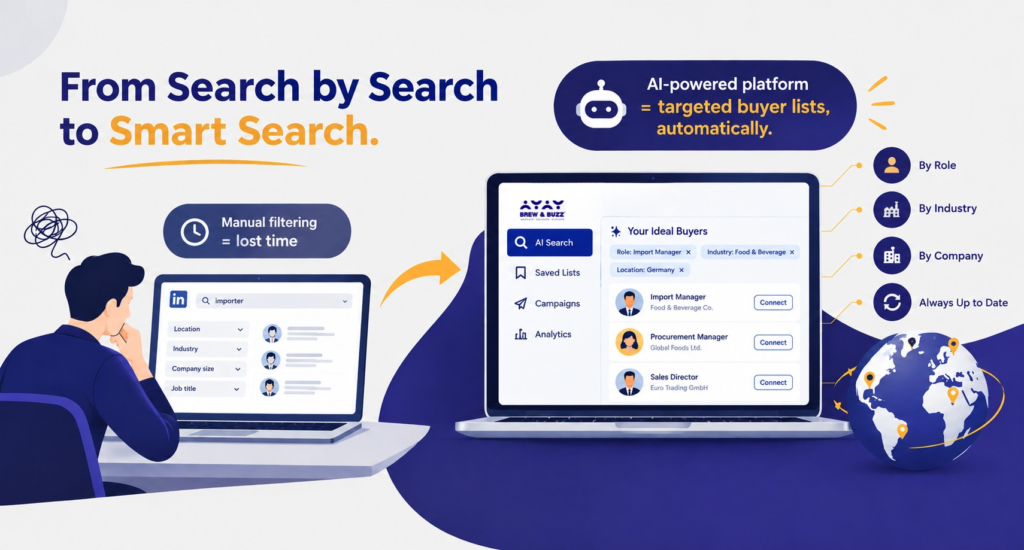
Doing this filtering manually, search by search, is where most exporters lose momentum. This is the point where a dedicated LinkedIn automation platform earns its place in the process: instead of rebuilding the same filter logic every time, software like BrewAndBuzz’s LinkedIn AI platform maps your ideal buyers by role, industry, and company automatically and keeps the list current as people change jobs.
Build Out Parallel Searches for Adjacent Titles
Don’t stop at one title. Procurement structures vary by company size and country — what one German company calls “Einkaufsleiter” (Purchasing Director), a smaller firm might assign to a general manager instead. Run three to four parallel searches with adjacent titles for the same industry and country combination:
- Procurement Director / Head of Procurement
- Purchasing Manager / Senior Buyer
- Supply Chain Manager
- International Trade Manager
- Managing Director (for smaller importer firms where the owner handles sourcing directly)
Each search typically yields 100-150 relevant profiles. Four searches across adjacent titles for one country gets you comfortably past 500 decision-makers — a full outbound list built without a single rupee paid to a broker.
Export, Verify, and Segment Before Outreach
Once your searches are run, don’t jump straight to connection requests. A rushed, unsegmented outreach burns your daily invite limit on the wrong people. Instead:
- Export the list into a CRM or spreadsheet with columns for name, title, company, country, and search query used (so you know which buyer profile each contact matches).
- Spot-check 10-15% of profiles manually to confirm the title and company are current — LinkedIn’s data lags real-world job changes by a few weeks in some cases.
- Enrich each contact with a verified email and phone number before you export, so outreach isn’t stuck inside LinkedIn’s own connection-request limits alone.
- Segment by buyer profile so your outreach message can reference the specific product category and use case relevant to that segment, rather than a single generic pitch to all 500 contacts.
If your target list includes EU markets — Germany, in the examples above — treat GDPR as a checkpoint before you scale outreach, not an afterthought. Cold-emailing enriched contacts generally falls within GDPR’s legitimate-interest provisions for relevant B2B outreach, but only when the message is genuinely relevant to the recipient’s role, includes an unsubscribe option, and the underlying data is stored in line with GDPR’s data-minimization principles.
Common Mistakes That Quietly Shrink Your List
A few practitioner-level traps worth knowing before you scale this past a first test run:
- Trusting the Industry filter alone. LinkedIn’s Industry field is self-reported by each company and frequently outdated or too broadly categorized — an importer might still be tagged under a generic “Wholesale” label from years ago. Always pair it with company-description keywords.
- Treating InMail as unlimited outreach. InMail credits are capped per billing cycle on paid seats; once they’re gone, messaging non-connections without a shared group or open profile stops working until the next cycle.
- Sending all 500 invites in one burst. LinkedIn does not publish its exact invitation cap, but the widely observed ceiling sits around 100 requests per rolling seven-day window, and restrictions are triggered more by sudden spikes than by steady volume. Stagger sends across the week instead of clearing the list in a day.
- Skipping the acceptance-rate check. A healthy cold B2B acceptance rate runs 15-40%. If your first 50 sends land well below that, the problem is almost always the title/industry combination or the invite note — fix it before sending the remaining 450.
Why We Run This Process Through BrewAndBuzz’s LinkedIn AI Platform, Not a Generic Tool
The five steps above work whether you run them by hand or through software. In practice, exporters running this every quarter — not once — need a platform that removes the manual grind without adding the risk that comes with careless automation. This is why we build this exact workflow on BrewAndBuzz’s LinkedIn Growth platform, our AI-first LinkedIn automation software built on the proprietary B2B10x Framework:
| Feature | What It Replaces | Why It Matters |
| Contact & company mapping | Manually rebuilding Title + Industry + Geography searches | The Steps 2-3 filter logic runs continuously instead of being rebuilt each quarter |
| Built-in enrichment | Relying on LinkedIn InMail or connection requests as the only channel | Verified email and phone are attached to each contact before export |
| No LinkedIn ID/password sync | Tools that require direct login credentials | Contacts sync securely without handing over account access |
| Account health tracker | Manual invite pacing | Throttles sends to safe automation speeds, reducing restriction risk |
| Keyword search on 1st-degree network | Scanning posts manually for buying signals | Surfaces importers actively posting about sourcing needs, not just title matches |
| AI workflows on profile activity | Generic name-fill outreach templates | Follow-ups reference the prospect’s actual recent activity |
| Full data export, no lock-in | Lists trapped inside a single tool | Every contact, company, and conversation exports to your own CRM on demand |
| Post scheduler | Switching tools to maintain LinkedIn presence | Presence and outreach run on one dashboard, per the B2B10x Framework |
Compared to running searches manually inside LinkedIn or Sales Navigator, the platform removes the recurring list-building work entirely. Compared to generic LinkedIn automation tools that only send bulk connection requests, it adds the enrichment, compliance throttling, and CRM export that turn a raw list into a working sales pipeline — and it does it without asking for your LinkedIn password.
A Repeatable System, Not a One-Time List
The real advantage of building your list this way isn’t the 500 names — it’s that the process is repeatable. Next quarter, when you’re ready to expand into a new country or product line, you run the same five steps with new filter values and get a fresh, current list in an afternoon. A broker’s list is a dead asset the day you buy it. A filter-based system — especially one running on automation software built for exactly this workflow — is infrastructure your team owns permanently.
Frequently Ask Questions
LinkedIn does not publish an exact figure, but the widely observed ceiling sits around 100 connection requests per rolling seven-day window — roughly 15-20 per day for established accounts. Sudden bursts trigger restrictions more often than a steady daily pace does.
Generally, 15 to 40 percent. Rates below that range usually point to a generic invite note or a poorly targeted list rather than a platform problem.
It can be, under GDPR’s legitimate-interest provisions for relevant B2B outreach — provided the message is genuinely relevant to the recipient’s role, includes an unsubscribe option, and the data is handled per GDPR’s data-minimization principles. Treat it as a compliance checkpoint before scaling into any EU country.
Quotation marks for exact phrases, OR to combine synonyms, AND to require multiple terms, NOT to exclude terms, and parentheses to nest logic — for example: (“Procurement Director” OR “Head of Procurement” OR “Purchasing Manager”) AND (“Chemicals” OR “Plastics”) NOT “Recruiter”.
The Industry field is self-reported by each company and often left outdated or too broadly categorized, so filtering on it alone can miss relevant importers or surface unrelated ones. Pairing it with company-description keywords like importer, distributor, or wholesale produces a tighter list.
Start by searching for the right job titles, such as Import Manager, Procurement Manager, Purchasing Director, International Trade Manager, or Wholesale Buyer. Combine these with your product and target country to find more relevant prospects. Once you find a potential buyer, check their company profile and send a personalized connection request instead of a generic sales pitch.
Use a combination of industry, location, and job title in your search. For example, if you sell spices, search for “Spice Importer” or “Food Procurement Manager” and narrow the location to Germany. This helps you focus on businesses that are more likely to need your products.
Use keywords related to both your product and the buyer’s role. For example, try “Textile Importer,” “Organic Food Wholesaler,” “International Buyer,” “Sourcing Manager,” “International Trade Manager,” or “Distribution Manager.” Adding a country name can make your search even more targeted.
Use LinkedIn filters such as Location, Industry, Company Size, and Job Title to narrow your search. If you have access to Sales Navigator, you can also filter by company headcount, seniority level, and geography. Once you find the right prospects, focus on building a relationship before introducing your product.
Too busy to run outbound lists like this every quarter? Our LinkedIn account management service handles targeted international prospecting for you — from filter strategy to enrichment to segmented outreach — using the same BrewAndBuzz LinkedIn AI platform covered above, so your team stays focused on closing, not searching.